


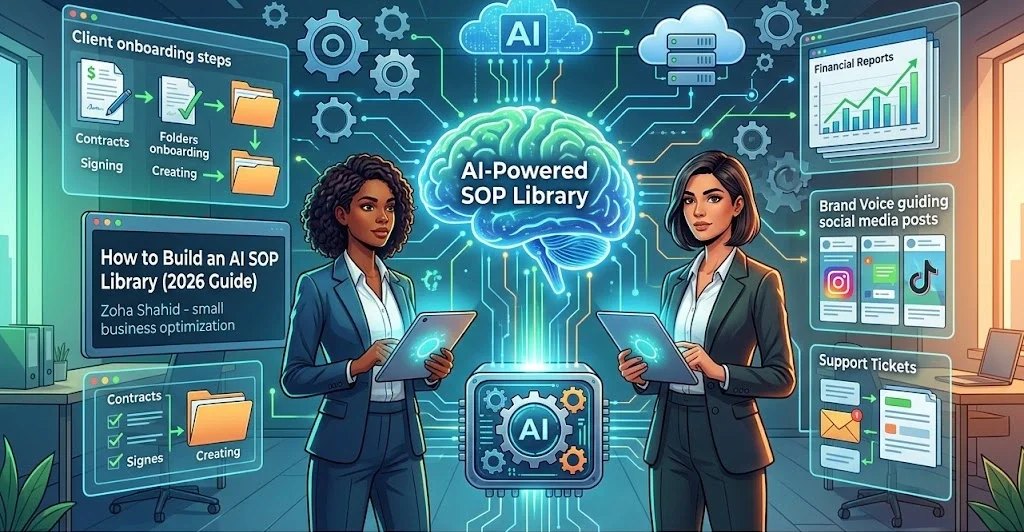
How to Build an AI-Powered SOP Library for Small Business: The 2026 Ultimate Guide
In 2026, the competitive landscape for small businesses has shifted dramatically. It is no longer about who has the most employees, but who has the most efficient systems. Small business owners often struggle with the “Growth Paradox”. As you acquire more clients, your administrative tasks explode, leaving you less time actually to work on your business.
Table Of Content
- 1. Why Traditional SOPs Are Failing in 2026
- The Friction of Static Documentation
- The AI-Powered Alternative: Living Knowledge Bases
- 2. The Architecture of an AI-Powered SOP Library
- Layer 1: The Knowledge Layer (Storage)
- Layer 2: The Intelligence Layer (Processing)
- Layer 3: The Execution Layer (Action)
- 3. The 4-Step Implementation Framework
- Step 1: The “Zero-Effort” Capture Phase
- Step 2: AI Translation (The Master Prompt)
- Step 3: Structuring Your “Second Brain“
- Step 4: Maintenance via Automated AI Audits
- 4. Deep-Dive: Real-World Business Scenarios
- Automated Client Onboarding (Scenario A)
- E-Commerce Financial Reporting (Scenario B)
- Brand Voice Guided Social Media Management (Scenario C)
- High-Volume Customer Support Triage (Scenario D)
- Strategic Vendor Management (Scenario E)
- 5. Advanced Optimization: Advanced Prompt Engineering
- The Complexity Reducer
- The Error Preemption Prompt
- The Brand Voice Guardian
- 6. Managing Implementation Challenges & Security
- Data Privacy & Enterprise Security
- Overcoming the “Garbage In, Garbage Out” Trap
- 7. Scaling for 2027: The Horizon of Autonomous Business
- Frequently Asked Questions (FAQs)
- How long does it take to build an AI SOP Library?
- Is it safe to expose my small business data to AI tools?
- Do I need to invest in expensive enterprise software?
- How do I prevent my SOPs from becoming outdated?
- Can AI completely replace my operations manager?
- Is an AI SOP library exclusively beneficial for tech startups?
- What if my current team members are not tech-savvy?
- Can I integrate this library directly with Slack or Microsoft Teams?
- How should we manage version control across changes?
- Does this setup actually save tangible capital?
- Conclusion: Start Your First SOP Today
Consequently, an AI SOP library for a small business becomes your greatest strategic asset. It acts as the “Digital Nervous System” of your company. This setup ensures that tribal knowledge is never lost, onboarding overhead drops to near zero, and daily tasks are executed with robotic precision.
Whether you are a marketing agency, a regional logistics provider, or an e-commerce brand, this ultimate guide will show you exactly how to design, deploy, and scale an automated Standard Operating Procedure (SOP) repository that drives exponential growth.
1. Why Traditional SOPs Are Failing in 2026
For decades, operations managers and founders have relied on static Word documents, PDFs, and scattered Google Docs as their source of truth. In 2026, these legacy formats are completely obsolete.
The Friction of Static Documentation
Traditional SOPs suffer from three fatal flaws that drain organizational productivity:
-
Instant Obsolescence: The moment a software interface updates, a pricing model tweaks, or a regulatory policy changes, your static PDF becomes wrong.
-
Discoverability Deficit: Employees waste hours digging through nested Google Drive folders trying to find a specific policy. This leads them to bypass the SOP entirely and interrupt colleagues.
-
Low Engagement: Massive walls of text are intimidating. New hires rarely absorb information delivered via a dry, 40-page text manual.
The AI-Powered Alternative: Living Knowledge Bases
An AI-powered SOP library transforms documentation from a passive archive into an active, conversational ecosystem. Instead of reading an entire document, an employee can ask an internal AI assistant, “How do we process a high-tier refund for a Shopify customer?” The AI instantly retrieves the relevant section, summarizes the steps, and links to the source. Therefore, it functions as a dynamic, “living” knowledge base that evolves alongside your business.
2. The Architecture of an AI-Powered SOP Library
To build an AI SOP library that scales seamlessly without breaking down, you must decouple your system into three distinct tech layers.
┌────────────────────────────────────────────────────────┐
│               THE EXECUTION LAYER (Action)              │
│       Zapier  •  Make.com  •  Browser AI Agents       │
└───────────────────────────▲────────────────────────────┘
                            │
┌───────────────────────────┴────────────────────────────┐
│             THE INTELLIGENCE LAYER (Processing)        │
│          OpenAI GPT-4o  •  Claude 3.5  •  Llama         │
└───────────────────────────▲────────────────────────────┘
                            │
┌───────────────────────────┴────────────────────────────┐
│              THE KNOWLEDGE LAYER (Storage)             │
│            Notion  •  SharePoint  •  Guru              │
└────────────────────────────────────────────────────────┘
Layer 1: The Knowledge Layer (Storage)
This is where your raw files, video transcripts, images, and standard guidelines live. It serves as your structural database.
-
Top Tools: Notion, Microsoft SharePoint, Guru, or ClickUp.
-
Best Practice: Keep databases highly tagged, cleanly structured, and centralized.
Layer 2: The Intelligence Layer (Processing)
This is the cognitive brain that reads, understands, digests, and queries your stored knowledge.
-
Top Tools: OpenAI’s Custom GPTs, Claude Projects, or specialized internal search tools like CustomGPT.ai and NotebookLM.
-
Best Practice: Ensure your AI models access your Knowledge Layer securely via APIs, bypassing public data training loops.
Layer 3: The Execution Layer (Action)
These are the digital “hands” of your business that carry out workflows automatically based on the instructions found in your SOPs.
-
Top Tools: Zapier, Make.com, or autonomous browser agents.
-
Best Practice: Map out manual steps clearly before automating them via code-free API triggers.
3. The 4-Step Implementation Framework
Building an operational powerhouse doesn’t require months of technical layout. By following this hyper-optimized 4-step framework, you can launch a functional prototype in under 48 hours.
Step 1: The “Zero-Effort” Capture Phase
Stop writing SOPs from scratch. Documenting processes line-by-line is the primary reason founders give up on operations. Instead, adopt a “Record-First” approach.
Whenever you or an experienced team member performs a recurring task, record your screen using tools like Loom, Fathom, or grain.com.
-
Do not edit the video.
-
Do not worry about stuttering.
-
Narrate why you are making every click.
Explain the underlying context, exceptions, and traps during the process. This verbal stream-of-consciousness is absolute gold for an LLM (Large Language Model) to extract deep logic.
Step 2: AI Translation (The Master Prompt)
Once you have the automated transcript from your screen recording, feed it into your AI engine. The quality of your SOP depends directly on the structure of your prompt.
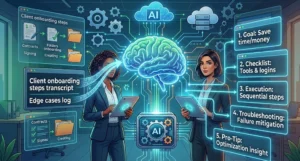
Copy and paste this production-grade Master SOP Transformer Prompt into ChatGPT or Claude:
User Intent: Create a highly operational, scannable Standard Operating Procedure.

Role: Act as an Elite Operations Consultant and Systems Engineer specializing in small business optimization.

Task: Review the provided raw video transcript and transform it into a world-class, 5-part Standard Operating Procedure. Ensure it strips out conversational fluff and maximizes clarity.

Structure the output exactly as follows:

## [Insert Process Name]
**Department:** [Operations/Marketing/Sales/Finance/HR]
**Version:** 2.0 (AI-Generated)
**Target Audience:** [Role responsible for execution]

---

### 1. Objective & Business Value
Define the core goal of this process in 2 sentences. Explicitly state how this saves time, saves money, or mitigates risk for the firm.

### 2. Pre-Flight Checklist
List all software tools, login credentials, assets, access permissions, and prerequisites required *before* starting the execution. Use Markdown checkboxes (- [ ]).

### 3. Step-by-Step Execution
Provide a logical, sequential breakdown of the task. Use bold text for actionable buttons or software names (e.g., "Click on **Settings**"). Limit to a maximum of 5 to 7 highly descriptive steps.

### 4. Edge Cases & Troubleshooting
Identify 2-3 things that commonly go wrong in this specific workflow and provide concrete, clear mitigation steps for each.

### 5. Pro-Tips for Automation
Provide one optimization insight on how this specific process can be semi-automated using AI, Zapier, or modern software shortcuts.

Transcript Input:
[Paste your raw transcript here]
"Pro-Tip: If your transcript is longer than 15 minutes, break it into two parts before feeding it to the AI for higher accuracy."
Step 3: Structuring Your “Second Brain“
Do not let your AI-generated outputs sit loose. Create a master relational database inside your storage tool (like Notion). To make your library easily scannable by human eyes and AI scrapers alike, structure it with the following core metadata columns:
Step 4: Maintenance via Automated AI Audits
Systems naturally degrade over time—a phenomenon known as operational rot. To fight this, implement a monthly AI Operational Audit.
Download your business’s loose internal Slack notes, fresh software updates, or monthly strategy briefs from the past 30 days. Feed them along with your current top 10 core SOPs into an LLM and run this audit prompt:
“Analyze these 10 standard operating procedures against our company’s recent operational updates and software shifts. Highlight exactly where contradictions exist, identify which processes have become redundant, and output a clean checklist of required merges or deletions.”
4. Deep-Dive: Real-World Business Scenarios
Let’s look at how an AI-powered SOP library functions in real-time across five core business vertices, transforming slow manual labor into instant digital workflows.
Automated Client Onboarding (Scenario A)
-
The Manual Pain Point: B2B service agencies often spend 3 to 5 hours manually drafting service contracts, setting up shared folders, spinning up Slack channels, sending welcome emails, and assigning internal tasks in Asana.
-
The AI SOP Solution: An AI agent monitors your inbound closed-won pipeline via a CRM trigger (like HubSpot or GoHighLevel). Subsequently, it reads the “Client Onboarding SOP,” triggers a Make.com scenario that automatically provisions the shared folders, populates a customized template contract via PandaDoc, and drafts a hyper-personalized onboarding email matching the client’s industry. Finally, it alerts your team when everything is ready for review.
-
Real-World Impact: Agencies routinely scale down onboarding times from 4 hours to under 10 minutes while completely eliminating human configuration errors.
E-Commerce Financial Reporting (Scenario B)
-
The Manual Pain Point: Pulling raw platform fees from Shopify, payout histories from Stripe, shipping costs from ShipStation, and ad spends from Meta Ads Manager to generate a clean profit-and-loss snapshot.
-
The AI SOP Solution: The AI system follows a standardized data-pull SOP every Friday night. It leverages specialized data pipelines to pull all metrics into an internal spreadsheet ecosystem. Furthermore, it summarizes discrepancies using mathematical logic and formats a clean weekly financial brief delivered straight to the CFO’s inbox.
Brand Voice Guided Social Media Management (Scenario C)
-
The Manual Pain Point: Junior social media managers or external contractors frequently misinterpret the brand voice, leading to disjointed, off-key LinkedIn posts or Instagram captions that require deep executive editing.
-
The AI SOP Solution: Save your comprehensive “Brand Voice & Content Publishing Guidelines” directly inside your AI SOP database. Next, build a dedicated Custom GPT connected strictly to that file. Now, when your social media marketer requests captions, the AI analyzes the raw creative brief against the explicit rules in the library. This mechanism ensures every draft meets corporate criteria before it ever hits human eyes.
High-Volume Customer Support Triage (Scenario D)
-
The Manual Pain Point: Customer support agents answering the same billing, return policy, and product compatibility questions hundreds of times a week, leading to burnout and slow response times.
-
The AI SOP Solution: Integrate your company’s product FAQs, warranty limits, and return SOPs directly into an internal AI assistant. When a new ticket lands, the AI synthesizes an internal draft response that is 90% complete, referencing the exact subsection of the SOP. As a final step, the human agent simply reviews, tweaks, and hits send.
Strategic Vendor Management (Scenario E)
-
The Manual Pain Point: Tracking multiple vendor delivery dates, contract renewal clauses, SLA metrics, and incoming invoice approvals across different departments.
-
The AI SOP Solution: Set up an AI document processing engine that scans incoming vendor invoices against contract terms stored in the SOP library. It verifies pricing alignment, confirms whether delivery benchmarks were met, and cues up payment authorization automatically inside your accounting software.
5. Advanced Optimization: Advanced Prompt Engineering
To truly extract elite performance from your AI systems, you must equip your team with situational operational prompts. These act as modifiers to refine text, find risk, and make training effortless.
The Complexity Reducer
When onboarding junior interns or non-technical contractors, use this prompt to distill complex infrastructure guides into simple, digestible instructions:
“Rewrite this highly complex technical software configuration process for an entry-level team member who has zero background in cloud databases. Strip out jargon, define acronyms, and use relatable real-world analogies to guide them.”
The Error Preemption Prompt
Before launching a brand-new workflow live across your organization, battle-test it for vulnerabilities by using this risk-mitigation framework:
“Read this newly designed marketing funnel deployment SOP. Act as a critical, detail-oriented Quality Assurance Engineer. Identify 3 specific places in this workflow where a human operator is highly susceptible to fatigue or cognitive bias, and suggest explicit validation steps to prevent errors.”
The Brand Voice Guardian
Ensure your outward-facing standard templates remain deeply aligned with your marketplace positioning:
“Review this newly generated customer service resolution script against our company’s internal Identity & Brand Voice Guidelines. Modify any phrase that sounds overly cold, corporate, or mechanical. Ensure the tone shifts to professional, deeply reassuring, and clear.”
6. Managing Implementation Challenges & Security
While building an AI SOP library offers unprecedented organizational advantages, execution without strategic guardrails can introduce systematic vulnerabilities.
Data Privacy & Enterprise Security
Critical Rule: Never upload sensitive PII (Personally Identifiable Information), raw financial bank account numbers, or unencrypted corporate passwords into public, free consumer AI models.
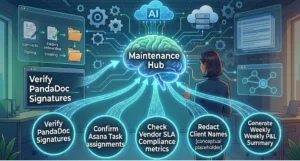
To safely scale your system, implement a strict Redaction Layer. Train your staff to consistently replace sensitive individual details with standardized conceptual placeholders before running transcripts through AI engines:
-
Replace explicit client names with
[CLIENT_NAME] -
Replace contract amounts with
[REVENUE_AMOUNT] -
Replace explicit credentials with references to your secure password manager:
[SEE BITWARDEN VAULT: MARKETING DEPT]
Additionally, ensure your small business operates within enterprise-tier data boundaries by purchasing workspace subscriptions (such as ChatGPT Team/Enterprise or Claude for Work) where data training is explicitly opted out in the admin console.
Overcoming the “Garbage In, Garbage Out” Trap
An AI’s output is only as good as its underlying contextual inputs. If you record a frantic, disorganized screen recording where you flip between tabs without explaining your thoughts, your generated SOP will be equally chaotic.
Therefore, spend exactly 2 minutes preparing before you hit record. Open all relevant software tabs, clear your desktop notification alerts, and jot down a 3-point bulleted sequence of what you will cover.
7. Scaling for 2027: The Horizon of Autonomous Business
Building your comprehensive AI SOP library today is not just about organizing your current operational workflows; it is about establishing the vital data architecture for the upcoming paradigm shift: Autonomous Business Execution.
  2026: Human + AI Integration          2027: Autonomous Business Agents
 ┌───────────────────────────┐         ┌─────────────────────────────────┐
 │  AI reads the SOP library │         │   AI Agent reads the SOP        │
 │  and writes a draft.      │   ───>  │   library, launches browser,    │
 │                           │         │   and signs the client up itself.│
 │  Human manually executes. │         │                                 │
 └───────────────────────────┘         └─────────────────────────────────┘
By 2027, advanced multi-modal AI agents will not simply read your SOP library to give you advice or write text drafts. Instead, they will act as autonomous operators that read your library, open up cloud browsers, log into your enterprise tools, and execute multi-step intellectual processes independently.
However, an AI agent cannot guess how your specific business operates. The companies that document their unique logic, operational parameters, and quality guardrails inside a structured AI SOP library today will have the foundational blueprints required to deploy fully autonomous digital workforces tomorrow. Conversely, those without clean documentation will find themselves left behind.
Frequently Asked Questions (FAQs)
How long does it take to build an AI SOP Library?
You can start seeing immediate ROI within 48 hours. Do not try to document all 100 corporate processes at once. Instead, start by recording your screen for just 3 core, high-frequency tasks this week. Build them out, test them, and iterate from there.
Is it safe to expose my small business data to AI tools?
Yes, provided you follow standard security protocols. Always use enterprise or team-level AI subscriptions that guarantee data privacy, and ensure your team uses placeholders for sensitive data (like passwords or client phone numbers).
Do I need to invest in expensive enterprise software?
Absolutely not. You can construct a world-class AI SOP ecosystem using the completely free tiers of Notion (for your storage layer) and ChatGPT or Claude (for your processing layer). Scale up your tooling budgets only when your automated workflows generate clear revenue or time savings.
How do I prevent my SOPs from becoming outdated?
Ditch the old mindset of yearly manual reviews. Instead, rely on the Monthly AI Audit strategy outlined in Step 4. Feed your recent company communication updates and software shifts directly into your AI model alongside your SOP files to catch obsolete steps instantly.
Can AI completely replace my operations manager?
No. Instead, it elevates them. This integration frees your operations managers and coordinators from repetitive data entry, basic training, and constant hand-holding. Consequently, this allows them to focus on high-leverage strategic initiatives, scaling systems, and human team development.
Is an AI SOP library exclusively beneficial for tech startups?
Not at all. Whether you run a local plumbing business, a physical medical clinic, a real estate firm, or a boutique legal practice, any business model with recurring processes can save hundreds of hours by automating its training and knowledge retrieval via AI.
What if my current team members are not tech-savvy?
The biggest benefit of an AI-powered library is its natural language interface. Your team members do not need to learn complex database logic or advanced search queries. If they can type a basic text message to a coworker, they can effortlessly interact with an AI-powered SOP library.
Can I integrate this library directly with Slack or Microsoft Teams?
Yes. By using simple API middleware connectors like Zapier or native workspace integrations, you can query your internal Notion or Guru SOP database directly inside your company’s communication channels.
How should we manage version control across changes?
Modern cloud storage systems like Notion, Google Workspace, and SharePoint automatically track every single change with built-in version histories. If an AI update misses a key point, you can easily restore a previous version with a single click.
Does this setup actually save tangible capital?
Yes, significantly. By reducing human execution errors, eliminating time wasted looking for lost documents, and slashing new employee training times by up to 70%, a structured SOP library saves small businesses thousands of dollars in monthly operational overhead.
Conclusion: Start Your First SOP Today
Building an AI-powered SOP library is a continuous journey of operational optimization. Every single process you capture and centralize is an investment in your company’s scaling capacity, enterprise valuation, and everyday freedom.
Do not build an operational process simply for the sake of having paperwork. Every SOP in your library must serve a purpose: it should either save money, save time, or reduce risk. If a process does not clearly fulfill one of these three criteria, delete it immediately.
Start today by recording your very next recurring task. Let AI do the heavy lifting of organizing it, and watch your business scale cleanly into the automated era.
If you want to see how these standard operational systems tie into your day-to-day individual workflows, be sure to read our comprehensive guide on AI Agents for Personal Productivity.




No Comment! Be the first one.